From Overwhelmed to in Control: How App Permissions Finally Made My Diet Work
Living through years of failed diets, I realized the problem wasn’t my willpower—it was my phone. Endless notifications, hidden trackers, and apps demanding access to everything made healthy choices feel impossible. But when I started managing app permissions mindfully, something shifted. I ate better, stressed less, and finally trusted my tools instead of fighting them. This isn’t about extreme tech fixes—it’s about small, smart changes that protect your focus, privacy, and goals. Let me show you how taking back control of your apps can quietly transform your health journey.
The Hidden Diet Saboteur No One Talks About
Have you ever noticed how, just when you're feeling proud of choosing a salad over fries, your phone buzzes with a 'limited-time offer' from your favorite fast-casual spot? Or how, after scrolling through a few photos of your lunch, you suddenly start seeing ads for cookies, smoothies, or protein bars you didn’t search for? It’s not a coincidence. These moments aren’t random—they’re carefully timed nudges, powered by the permissions we blindly grant every time we install an app. For years, I blamed myself for giving in. I thought I lacked discipline, that I wasn’t trying hard enough. But the truth was, I wasn’t just fighting cravings—I was fighting an entire digital ecosystem designed to pull me off track.
Think about it: we download a food delivery app to order dinner one night, tap “Allow” on location and notifications without reading, and suddenly, that app knows where we are, when we’re hungry, and even what we’ve ordered before. It uses that data to send tempting offers exactly when we’re most vulnerable—after work, when we’re tired, or on a weekend when we’re feeling indulgent. These aren’t just ads; they’re behavioral triggers, personalized and precisely delivered. And it’s not just food apps. Social media platforms track what we look at, how long we linger on a post, and even the types of meals we photograph. All of this shapes the content—and the cravings—we see next.
What makes this so insidious is that it happens quietly. We don’t feel manipulated, because we never signed a contract saying, “Yes, please tempt me with pizza every time I walk past a delivery zone.” But by allowing unrestricted access, that’s exactly what we’ve agreed to. And over time, these tiny digital nudges add up. They wear down our focus, blur our intentions, and make healthy eating feel like an uphill battle. The good news? You don’t have to delete every app or go off the grid. You just need to reclaim one small but powerful tool: your app permissions.
What App Permissions Have to Do With What You Eat
At first glance, app permissions might sound like a tech support topic—something your teenage nephew would explain while rolling his eyes. But they’re actually deeply personal. Every time you allow an app to access your location, photos, microphone, or contacts, you’re giving it a piece of your daily life. And when it comes to food and health, that data becomes a blueprint for influence. Let’s break down how common permissions quietly shape what ends up on your plate.
Location access is one of the most powerful—and most misused—permissions. That food delivery app you only use once a week? It’s not just waiting for you to open it. It’s watching. When you walk past a restaurant district, it might send a push notification: “Craving something spicy? Try our new Thai bowl—just 0.2 miles away!” That’s not convenience. That’s temptation, geotagged and delivered in real time. And because it feels timely and relevant, it’s harder to ignore. You didn’t search for Thai food, but now you’re thinking about it. That’s how small digital choices lead to big dietary ones.
Photo access is another quiet influencer. Many social media and food logging apps request access to your camera roll. Why? Because they can analyze the meals you photograph—what colors are in the dish, how much protein or sugar is likely in it—and then serve you ads for similar or complementary products. Snap a picture of your morning smoothie, and suddenly you’re seeing ads for protein powders, chia seeds, or even low-calorie sweeteners. Post a family dinner, and you’re bombarded with frozen meal deals or dessert promotions. It’s not magic—it’s machine learning trained on your behavior, and it’s working whether you realize it or not.
Then there’s notification access. This one might seem harmless, but it’s a major source of mental clutter. How many times a day does your phone buzz with a reminder to log your lunch, a “friendly” nudge from your fitness app, or a flash sale on snacks? These alerts fragment your attention, turning healthy habits into chores. Instead of feeling supported, you start to feel policed. And when you finally silence the noise, you might also silence the helpful reminders—because it all feels like too much. The solution isn’t to stop using apps. It’s to let them serve you, not overwhelm you. And that starts with setting clear boundaries through permissions.
The Moment I Reclaimed My Phone—and My Plate
I’ll never forget the Sunday afternoon when I finally sat down and reviewed my app permissions. I wasn’t planning a digital detox. I was just frustrated. I had started a new way of eating—more vegetables, less processed food, mindful portions—and yet, I kept caving. One night, it was ice cream. The next, late-night pizza. And each time, I’d see an ad or get a notification moments before giving in. It felt like the universe was testing me. Then it hit me: maybe it wasn’t the universe. Maybe it was my phone.
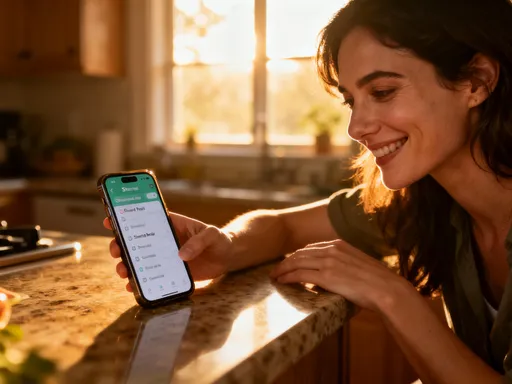
So I went into my settings and started asking simple questions: Does this app really need to know where I am? Does it need to send me notifications at 8 PM? Do I want it scanning my photos? One by one, I turned off location access for food delivery apps, disabled notifications for social media after 7 PM, and restricted photo access for platforms that didn’t need it. I even paused my calorie tracker for a week—just to see how I’d do without the constant check-ins.
The change wasn’t overnight, but it was real. The first thing I noticed? Fewer pings. Fewer urges. I wasn’t being bombarded with offers when I was tired or stressed. I started making lunch decisions based on hunger, not a well-timed ad. I ate dinner without reaching for my phone to log every bite. And something surprising happened: I felt calmer. More in control. I wasn’t fighting my tools anymore. I was working with them. That week, I didn’t lose ten pounds or run a marathon. But I did eat three more servings of vegetables than usual. I drank more water. And I went to bed feeling proud, not guilty.
That small experiment taught me something powerful: technology doesn’t have to be the enemy of healthy living. It can be an ally—if we set the rules. Taking back my permissions wasn’t about becoming a tech expert. It was about becoming the boss of my own attention. And when I stopped letting apps dictate my cravings, I finally gave my own choices a fighting chance.
Simple Permission Tweaks That Support Healthy Eating
You don’t need to be a programmer or spend hours tweaking settings to make a difference. A few thoughtful changes can go a long way in supporting your health goals. The key is to approach permissions not as tech chores, but as acts of self-care. Every time you say “no” to an unnecessary request, you’re protecting your peace, your privacy, and your plate. Here are a few practical steps you can take today, whether you’re on an iPhone or an Android device.
First, review your location permissions. Go to Settings, then Privacy, then Location Services (on iPhone) or Location (on Android). Look through the list of apps that have access to your location. Ask yourself: Which of these truly need to know where I am? Your maps app, yes. Your weather app, maybe. But does your food delivery app need constant access? Probably not. Consider changing it to “While Using the App” instead of “Always.” That way, it can help you order dinner when you open it—but it won’t track you all day and send offers when you’re near a restaurant. This one change alone can reduce temptation and help you make choices based on hunger, not location-based marketing.
Next, take a close look at notifications. We often forget how much these little buzzes shape our behavior. Go to your Notifications settings and review which apps are allowed to send you alerts. Turn off notifications for food delivery services after dinner hours—say, 7 PM. You’re unlikely to be making healthy choices at midnight when a “20% off tacos” message pops up. Similarly, consider muting social media notifications in the evening. Scrolling through food photos late at night can trigger cravings, even if you’re not hungry. By setting time-based boundaries, you create space for more mindful eating and better sleep.
Photo access is another area to address. On both iOS and Android, you can limit which apps can view your entire photo library. Instead of granting full access, choose “Selected Photos” or “Ask Next Time.” This prevents apps from scanning your meals and using that data to target you with ads. If you use a food journal app, you can still add photos manually when you want to. But you’ll no longer be feeding an algorithm that profits from your eating habits.
Finally, be selective with health and fitness apps. Many of them request access to your health data, contacts, or even your microphone—none of which are necessary for tracking meals or steps. Only grant access to apps you trust, and only give the minimum permissions needed. For example, a water-tracking app doesn’t need to know your location or contacts. A step counter doesn’t need to read your messages. By being intentional, you keep your data private and your experience positive.
Apps That Help—Without the Pressure
Not all apps are out to get you. In fact, some are designed with your well-being in mind—privacy, simplicity, and kindness built right in. The key is knowing how to spot them. After my permission reset, I started looking for apps that supported my goals without making me feel guilty, overwhelmed, or watched. And I found a few that have become quiet allies in my daily routine.
One of my favorites is a meal planning app that doesn’t track every calorie or shame me for skipping a log. Instead, it lets me set simple preferences—like “more veggies,” “less sugar,” or “quick dinners”—and then suggests recipes based on what I already have at home. It doesn’t ask for location, doesn’t send push notifications, and doesn’t connect to my social media. It’s just there when I need it, like a thoughtful friend who knows my taste but doesn’t judge my choices.
Another helpful tool is a hydration reminder app that uses gentle, non-intrusive alerts. No flashing badges, no guilt-tripping messages like “You’re behind on water again!” Just a soft chime every few hours, with an option to snooze or log with one tap. It respects my time and attention, which makes me more likely to actually use it. And because it doesn’t collect personal data or require login, I don’t worry about my habits being sold or shared.
When choosing any app—whether for food, fitness, or mindfulness—ask yourself a few simple questions: Does this app respect my privacy? Does it make me feel supported, not stressed? Does it work quietly in the background, or does it demand constant attention? The best tools are the ones you forget you’re using—because they fit so naturally into your life. They don’t add pressure. They remove it.
Raising a Health-Conscious Family in a Noisy Digital World
As a mom, I used to worry that my kids were eating too many snacks, especially when they were on their tablets. But I didn’t realize how much their devices were influencing their choices—until I checked their app permissions. My daughter’s favorite game was showing ads for sugary cereals and candy bars. My son’s music app was sending notifications for fast food deals. These weren’t just random ads. They were targeted, based on data collected from apps that had full access to their activity, location, and interests.
That’s when I decided to extend my permission reset to the whole family. On each child’s device, I went into the settings and turned off ad tracking, limited location access, and disabled personalized ads. I also reviewed the apps they used most and removed any that were filled with unhealthy food promotions. It wasn’t about banning fun or treats—it was about creating a digital environment that supported the values we were teaching at home.
The change was subtle but powerful. My kids still enjoy treats, but now those choices happen at home, at the table, as part of a conversation—not because a cartoon character on a screen told them to. They’re more aware of what they’re eating, and less influenced by digital nudges. And as a parent, I feel more in control. I’m not fighting an invisible system that’s working against me. I’m setting the tone for how technology shows up in our lives.
This isn’t just about food. It’s about teaching our children that they can—and should—set boundaries with technology. That their attention is valuable. That they don’t have to accept every notification, every ad, every algorithmic suggestion. By modeling mindful tech use, we’re raising not just healthier kids, but more confident, thoughtful ones.
Freedom Feels Light: Life After Digital Clutter
Looking back, I realize how much mental energy I used to spend fighting my phone. I’d silence apps, then feel guilty for ignoring them. I’d try to log every meal, then give up when it felt like a chore. I’d see an ad, eat the food, and blame myself—never seeing the invisible strings pulling me toward that choice. Managing app permissions didn’t just change my diet. It changed my relationship with technology. I no longer feel like I’m being watched, targeted, or manipulated. I feel like I’m in the driver’s seat.
The benefits go beyond food. I sleep better because my phone isn’t buzzing at night. I’m more present with my family because I’m not distracted by constant alerts. I make decisions based on what I truly want, not what an algorithm thinks I should want. It’s a quieter, calmer way of living—one where technology serves me, not the other way around.
And here’s the most surprising part: I don’t miss the noise. I don’t miss the pings, the pop-ups, the pressure. Freedom feels light. It feels like breathing deeply after years of holding my breath. I still use apps. I still love technology. But now, it works for me—on my terms. I’ve learned that taking care of myself isn’t just about what I eat or how much I move. It’s also about what I allow into my digital space. Because when your tools support your goals instead of sabotaging them, healthy living doesn’t feel like a struggle. It feels like coming home.